
🔒 How to Turn Off Two-Factor Authentication on Facebook / Instagram
(Lost your Authenticator App? Updated November 7, 2025)
If you’ve lost access to your Authenticator app (like Microsoft Authenticator or Google Authenticator) and can’t log in to Facebook or Instagram, don’t worry — Meta recently updated their process, and you can now turn off two-factor authentication (2FA) more easily.
I ran into this issue myself when I bought a new phone. My Microsoft Authenticator app wasn’t backed up, and Facebook kept sending verification codes to the old, non-existent app.That meant I couldn’t log in, change the 2FA setting, or turn it off — until now.
As of November 2025, Meta allows users to access their account security settings even if they lost the authenticator app, making it much simpler to fix.
Step-by-Step: How to Turn Off Two-Factor Authentication
1. Go to facebook.com or open the Facebook app.
2. Settings and Privacy –> Settings –> See more in Accounts Center –> Password and security
1
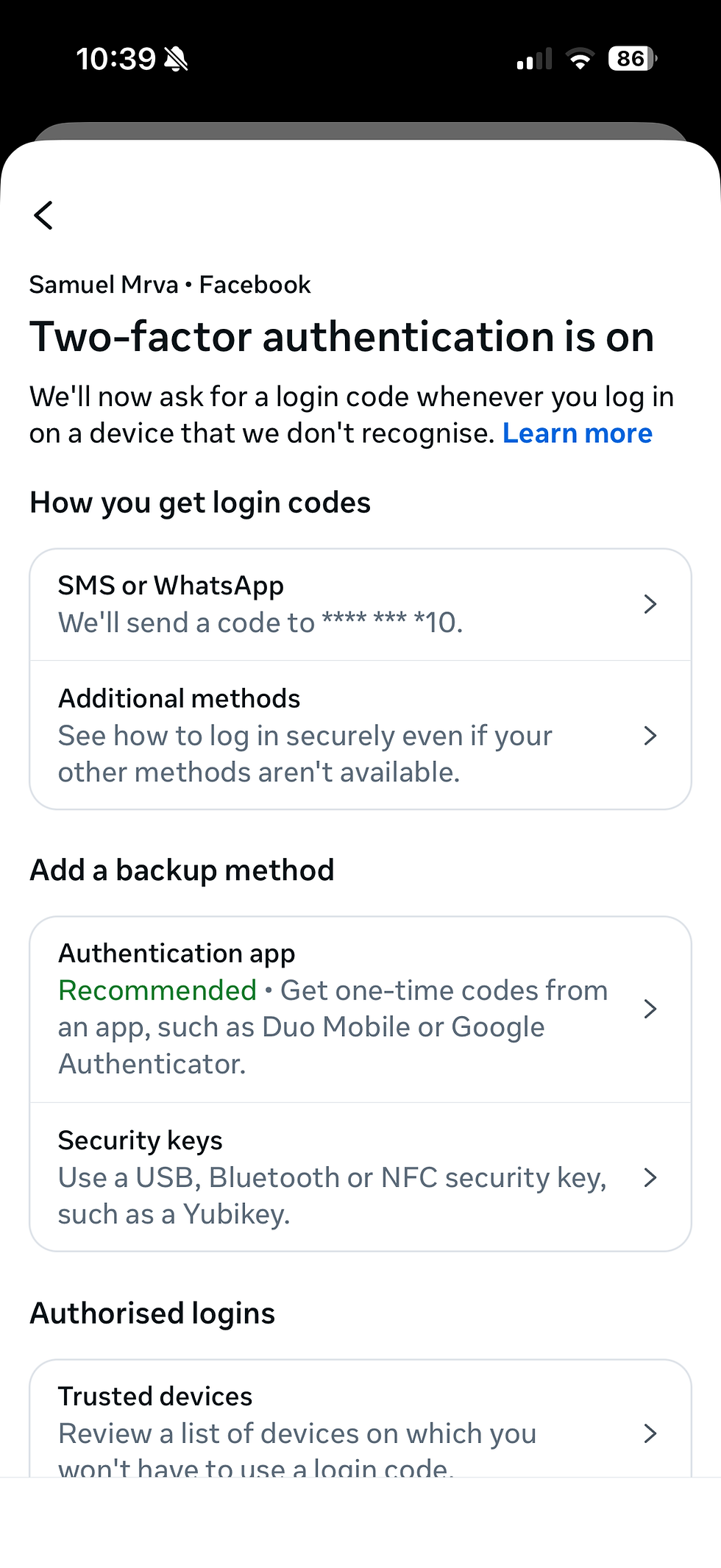
3. Two Factor Authetication –> Choose profile

4. Now you need to comfirm that it's you, (Before it just sent you straight to authenticator app and asked for code...which you obviously did not have)

5. Authorize with passkey, or if you do not have it just choose other option (whats'app,email)

6. Now you are in and you can turn off the Two Factor Authentication app and choose other other option
Recommendations
In my opinion Microsoft authenticator app has really difficult support if something like this happens and I still do not understand that even if I had my phone backed up and everything was transferred correctly, the only app which missed data was microsoft authenticator app and with this it missed the connection to facebook.
So my advice is to always check for back up inside of the Third Party App settings ( iCloud back up in Microsoft authenticator app has to be turned on) or just use other options then third party apps.
But if you have to use the app, for me NordPASS works really great and even if you loose access the support is really helpful and resets your account in 48 hours.


Comments